
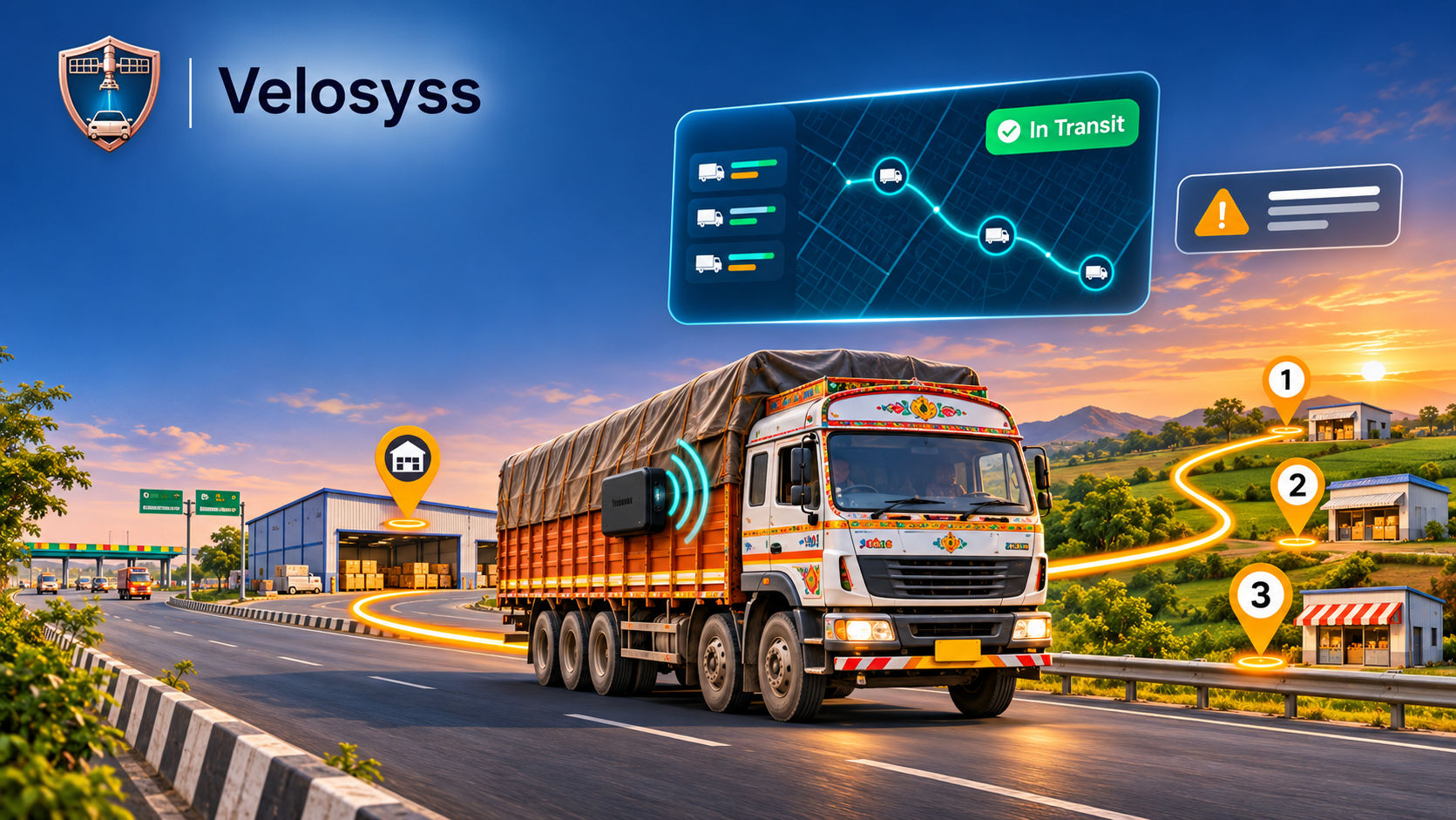
Vehicle Trip Report India: How Fleet Trip Management Software Stops Rupee Leaks
By Velosyss Team · 10 November 2026
A truck leaves the yard at 6 AM. By evening, the driver reports 412 km, the odometer agrees, and the client's bill says 412 km. But 15 km was a side-load for someone else's goods, 90 minutes was a dhaba halt that became a "traffic jam", and the signed POD is somewhere between Satna and your accounts desk.
On phone calls, paper logbooks and WhatsApp pins, these leaks stay invisible. They add up to thousands of rupees per vehicle, every month. A reliable vehicle trip report India fleet owners can trust starts with a trip that is planned in the system and tracked by GPS, not reported by the driver. This guide shows how fleet trip management software India teams use Velosyss Trips, from creating a trip to closing it, and then on to full dispatch with proof of delivery.
⚡ Quick Answer: How Does GPS Vehicle Trip Tracking Work in India? You create a trip by choosing the account, loading point and unloading points, then assigning a vehicle and driver. The trip starts as Created, moves to In Transit when the vehicle leaves, and to Unloaded on delivery, before it is closed. Meanwhile a live dashboard shows every vehicle, alerts flag problems, and customers follow a public tracking link.
Manual Logbooks & WhatsApp vs. Automated Velosyss Trip Management
| Manual Trip Tracking (Phone / Paper / WhatsApp) | Velosyss Trips & Dispatch | |
|---|---|---|
| Start/End Time Accuracy | Driver reports from memory, often rounded | Status moves from Created to In Transit to Unloaded with timestamps at each stop |
| Kilometer & Odometer Verification | Odometer photo or driver's word; easy to pad | GPS-tracked route for every trip |
| Unscheduled Dhaba/Idle Halts | Invisible unless the driver admits them | Long-stay alerts and in and out times at every stop |
| Customer ETA Sharing | Repeated phone calls and WhatsApp pins | Public tracking link, no login needed |
| Proof of Delivery (POD) | Paper copy, often late or lost | Geofence arrival and exit times, delivery photo; OTP with Velosyss Connect |
| Monthly GST/Client Billing Exports | Retyped from logbooks into Excel | CSV or PDF reports |
Step-by-Step: How the Velosyss "Trips" Feature Works (From Created to Closed)
Step 1: Create the Trip (Account, Loading Point, Unloading Points)
Trips in Velosyss do not depend on the engine being switched on or off. Your operations team creates the trip in a minute by choosing:
- the account (the customer whose goods you are moving)
- the loading point
- one or more unloading points, in the order the truck should visit them
- the vehicle and driver, and optionally a transporter
- the scheduled date and time
The trip is saved with the status Created.
Step 2: Pick From Your Master Data, Not From Memory
You enter these once and pick from a list every time:
- Drivers: name, phone and licence number.
- Destinations with location: loading and unloading points with address, map pin, contact name and phone, state, district and a custom geofence radius.
- Vehicles: vehicle number, make and model, carrying capacity in kg, and the linked GPS tracker, picked up automatically for the trip. This works with a hardwired Velosyss SafeTrack, a plug-in SwiftTrack, or a wireless Velosyss MagTrack.
- Transporters: name, phone, email contacts and base location, so a trip can run on your own vehicle or a hired transporter's.
- Accounts: the customers you run trips for.
For excise consignments, permit details sit on the same trip record.
Step 3: Multiple Unloading Points on One Trip
A single trip can carry several unloading points in sequence. This suits a truck dropping at three dealers, or a building-material load split across sites. Each stop is tracked separately.
| Trip status | What it means |
|---|---|
| Created | Trip planned; vehicle expected at the loading point |
| In Transit | Trip has started; the vehicle has left the loading point |
| Waiting for Unloading | Vehicle has reached the current stop; arrival time is recorded |
| Unloaded | Unloading at that stop is done; the trip moves to the next stop |
| Closed | Trip closed after the last delivery |
Out of Route and On Hold can be set by the operator when needed. Every stop gets an in time and an out time, the evidence behind a halting or detention claim. Drivers can also mark arrival and delivery from the driver app, add notes, and attach a delivery photo for that stop.
Step 4: Monitor Every Vehicle Live, and Get Told When Something Is Wrong
While trips run, the live dashboard shows all your vehicles on one map, with their live location and trip status, filtered by status such as In Motion, Long Stay, Stop and Not Working.
Problems get highlighted instead of waiting for someone to call. You are notified of events like vehicle long stay, device offline and harsh driving. A truck parked for two hours at a dhaba is flagged while the trip is still running, not at month-end. For how alerts are set up, read the Complete Guide to Vehicle Tracking Alerts in India.
Step 5: Share a Public Tracking Link, Review History, Download Reports
Every trip has a public tracking link. Send it to a dealer or consignee and they can follow the delivery without logging in to the system. That ends the "where is my truck?" phone calls.
When the trip is done, review the route on an animated Route Playback showing exact stops, speeds and headings, so disputes are settled by looking at the route. If the vehicle passes through a zero-network stretch, the tracker buffers coordinates in onboard memory and uploads the full path once 4G/2G returns.
Fleet trip reports arrive by scheduled email or on demand from the Reports tab, and trip data downloads as CSV (Excel) or PDF for client billing, driver settlement and audits. This is your digital vehicle trip sheet replacing the handwritten logbook.
📞 See Trips in action: book a 20-Minute Live Dispatch Demo
We will walk you through trips and dispatch on your own use case. Book here: velosyss.com/business · Call: +91 9993399141 · Email: info@velosyss.com
No Wiring, No Excuses: Tracking Hired Trucks and Trailers with Velosyss MagTrack
Fleet owners rarely run only their own vehicles. Hired transporter trucks, trailers, containers and shared assets are hard to track because nobody wants to open up the dashboard of a vehicle they do not own. That is where Velosyss MagTrack (₹5,999 Magnetic 4G Tracker) comes in, and it is our most popular tracker with B2B customers.
MagTrack is a wireless 4G tracker with a 6000 mAh rechargeable battery and a strong magnet that holds it to any metal surface. There is no electrician, no wiring and no tools. The SIM comes pre-installed.
- Charge, switch on, stick it on. Place it in a dry spot away from the exhaust, confirm the live location in the app, and the vehicle is on your dashboard.
- Compact and light: 80 × 50 × 32 mm and 175 g.
- 4G with GPS + BeiDou positioning, accuracy up to 5 m in the open.
- Alerts for movement, speeding, low battery and tampering, plus up to 20 geofences.
- Moves between vehicles. Peel it off a finished trip's trailer and put it on the next one.
Use it on a hired transporter's truck for the length of a trip, on trailers and containers, on generators and construction equipment, or on any vehicle where you cannot install a wired tracker. Register the vehicle in Velosyss and attach the tracker, and the trip shows up on your live dashboard and public tracking link like any other.
One honest limit: MagTrack is not connected to the vehicle, so it has no remote engine cut-off. For that, use Velosyss SafeTrack, which is hardwired.
Going Beyond Basic GPS: End-to-End B2B Dispatch & ePOD with Velosyss Connect
A dot on a map does not tell you which orders are on the truck, whether it is the right truck, or whether the goods were received.
Velosyss for Business (Velosyss Connect) is built for distributors, FMCG and pharma supply chains, building materials suppliers and regulated transport. It covers the whole path from order to delivery:
- Order-to-Dispatch intake: capture orders directly in the app instead of over calls and chats.
- Truck-Fit Matching: match load weight and volume to the right vehicle category, so you do not send a 16-tonner for a 3-tonne drop.
- Multi-order consolidation: combine multi-drop orders on a single trip and cut empty kilometres.
- 1-click dispatch offers to transporters.
- Role-based apps for shop owners/consignees, transporters and drivers, all connected to one dispatch engine.
- Live tracking links so dealers can see their delivery coming.
- Electronic proof of delivery (ePOD): geofence-verified arrival at the customer site, OTP validation, driver photo of goods or challan, and a timestamped audit trail.
A delivery is "done" only when the vehicle was at the site, the receiver confirmed with an OTP, and a photo exists.
4 High-ROI Indian Industry Use Cases for Automated Trip Reports
1. MP Excise Liquor & Regulated Consignments
Velosyss is a Madhya Pradesh (MP) Excise Department Approved GPS Tracking Vendor for liquor and beverage consignment vehicles. Each consignment gets end-to-end movement history from dispatch to delivery, with compliance reports generated automatically and halts logged along the corridor.
2. Mining Tippers, Dumpers & Infrastructure Fleets (Singrauli, Raipur, Korba, Satna)
On mine-to-crusher and siding runs, chakkar per shift drive payment, and gate slips get manipulated. With the mine and siding set up as geofenced loading and unloading points, each chakkar becomes a trip with real in and out times, not a gate slip. Velosyss SafeTrack (₹2,999 Wired GPS Tracker) is hardwired (9V–90V DC) and suits tippers and heavy vehicles, with vibration alert and a remote engine cut-off relay.
3. FMCG, Pharma & Building Material Distributors
Dealer disputes usually come down to three things: when the truck arrived, how long it waited, and whether the full quantity was delivered. For multi-drop runs, set each dealer as an unloading point on one trip. You get arrival and exit time at every stop and a delivery photo, as a timestamped record for all three. Velosyss Connect adds OTP confirmation on top. Halting and detention claims, and shortage claims, can be checked against it.
4. Car Rentals & Corporate Cab Operators
Extra-kilometre and outstation border disputes are classic rental headaches. Fit Velosyss SwiftTrack (₹3,499 Plug-and-Play OBD Tracker) in seconds, with no wiring. When the customer questions the final bill, hand them the PDF trip report with route and distance.
Fleet ROI Calculator: How Much Money Does Automated Trip Tracking Save Per Truck?
Assumptions for one commercial vehicle: diesel at about ₹94/litre, running cost of ₹18/km, 26 working days a month, and a loaded truck burning roughly 0.8 litre of diesel per idling hour. Your own numbers will differ.
| Leak Closed | Calculation | Monthly Saving |
|---|---|---|
| (a) Unauthorized detours / odometer padding: 12 km/day | 12 km × 26 days × ₹18 | ₹5,616 |
| (b) Unnecessary engine/AC idling, caught by long-stay alerts: 40 min/day | 40 min × 26 days ≈ 17.3 hrs × 0.8 L × ₹94 | ₹1,300 |
| (c) Disputed halting/detention bills recovered: 2 per month | 2 × ~₹750 | ₹1,500 |
| Total monthly saving | ≈ ₹8,400 |
Against that, the cost is a one-time device (₹2,999 SafeTrack, ₹3,499 SwiftTrack) plus your Velosyss business subscription, which is priced to your fleet size. Ask for a B2B quote. Even if only half these leaks exist in your fleet, the savings from one truck cover the monthly cost many times over.
Frequently Asked Questions
1. Is GPS kilometre reading as accurate as the vehicle odometer?
GPS distance comes from recorded location points, so it reflects where the vehicle actually travelled. Odometers vary with tyre size and can be tampered with. In a billing dispute, the route behind the GPS figure is stronger evidence.
2. What happens when my truck drives through a zone with no network?
The tracker stores coordinates on its onboard memory and uploads the whole unbroken path when 4G/2G signal returns. The trip report shows the full route, not a gap.
3. Can I export trip reports to Excel or PDF?
Yes. Every trip report downloads in one click as CSV (opens in Excel) or PDF, for client billing, driver settlement or audits.
4. Can one trip have multiple unloading points?
Yes. With Fleet Trips you add unloading points in order on a single trip. Each stop has its own geofence, arrival and exit time, and optional delivery photo, and the trip moves to the next stop automatically after each unloading.
5. SafeTrack, SwiftTrack or MagTrack: which should I buy?
SafeTrack (₹2,999) is hardwired, runs on 9V–90V DC, and suits trucks, tippers, bikes and cars; it includes ignition detection, vibration alert and a remote engine cut-off relay. SwiftTrack (₹3,499) is a no-wiring OBD-II plug-in for cars, SUVs, corporate cabs and self-drive rentals (12V–36V). MagTrack (₹5,499) is a wireless magnetic 4G tracker with a 6000 mAh battery for hired trucks, trailers, containers and other assets; it has no engine cut-off. All come with a pre-installed SIM.
6. Is Velosyss approved for MP Excise consignments?
Yes. Velosyss is an MP Excise Department Approved GPS Tracking Vendor for liquor and beverage consignment vehicles.
7. How do I book a B2B dispatch demo?
Visit Velosyss for Business (Velosyss Connect) to book a 20-minute live demo, call +91 9993399141, or write to info@velosyss.com.
Stop Paying for Trips You Cannot Verify
A vehicle trip report India operators can bill from, planned in the system, tracked live, replayable on the map and exportable in a click, turns disputes into a two-minute check. Add multi-drop planning and ePOD, and delivery stops depending on anyone's word.
📞 Ready to see it on your fleet?
Book a 20-Minute Live Dispatch Demo at Velosyss for Business (Velosyss Connect), call +91 9993399141, or email info@velosyss.com.